
Your information stays put
Because the assistant runs on hardware you control, documents are not uploaded to Sanad's vendor services for processing.
What Sanad is
No hosted work-content account. Your work stays on the device or organization server, with a capable assistant running on hardware you control.
The idea
Most AI assistants live on the internet. To answer a question about your contract, they first send that contract to a company's servers — often in another country, under rules you didn't write. For a ministry, a bank, or a hospital, that is a problem before the assistant has typed a single word.
Sanad keeps inference on your own computers or organization server. Your documents are read within that controlled environment and are not uploaded to Sanad's vendor services for processing.
Sanad's licensing and update services receive operational identifiers and dates, not documents, prompts, answers, transcripts, notes, or generated work.
وفقًا للسياسة الداخلية:
يحصل الموظفون بدوام كامل على 30 يومًا من الإجازة السنوية المدفوعة، تُحتسب على أساس شهري.
المصدر — HR-Policy-2026.pdf · صفحة 12
Answering offline, in Arabic, with the source document cited.
Why it's built this way
Because the assistant runs on hardware you control, documents are not uploaded to Sanad's vendor services for processing.
After models and a valid entitlement are provisioned, Sanad can keep answering during an outage or on an isolated network, subject to the applicable entitlement or roaming-grace window.
One licence per person, once a year. No counting questions, no metered billing, no bill that grows the more your team actually uses it.
Sanad was built bilingual from the first screen. Your team reads, asks, and gets answers in Arabic or English without switching tools.
What your team can do with it
Upload policies, contracts, or manuals and ask questions in plain language. Every answer cites the source page it came from.
Your administrator publishes the forms, manuals and signed originals your team relies on. Every PC keeps its own copy, so they open in the applications you already use even with the network unplugged — and they are never used to answer questions. Organization Server edition.
Condense a long report, a contract, or a thread of correspondence into the points that matter.
Move text between Arabic, English, and dozens of other languages without leaving the app or sending it online.
Make an email or memo clearer, shorter, or more formal — tone and length on request.
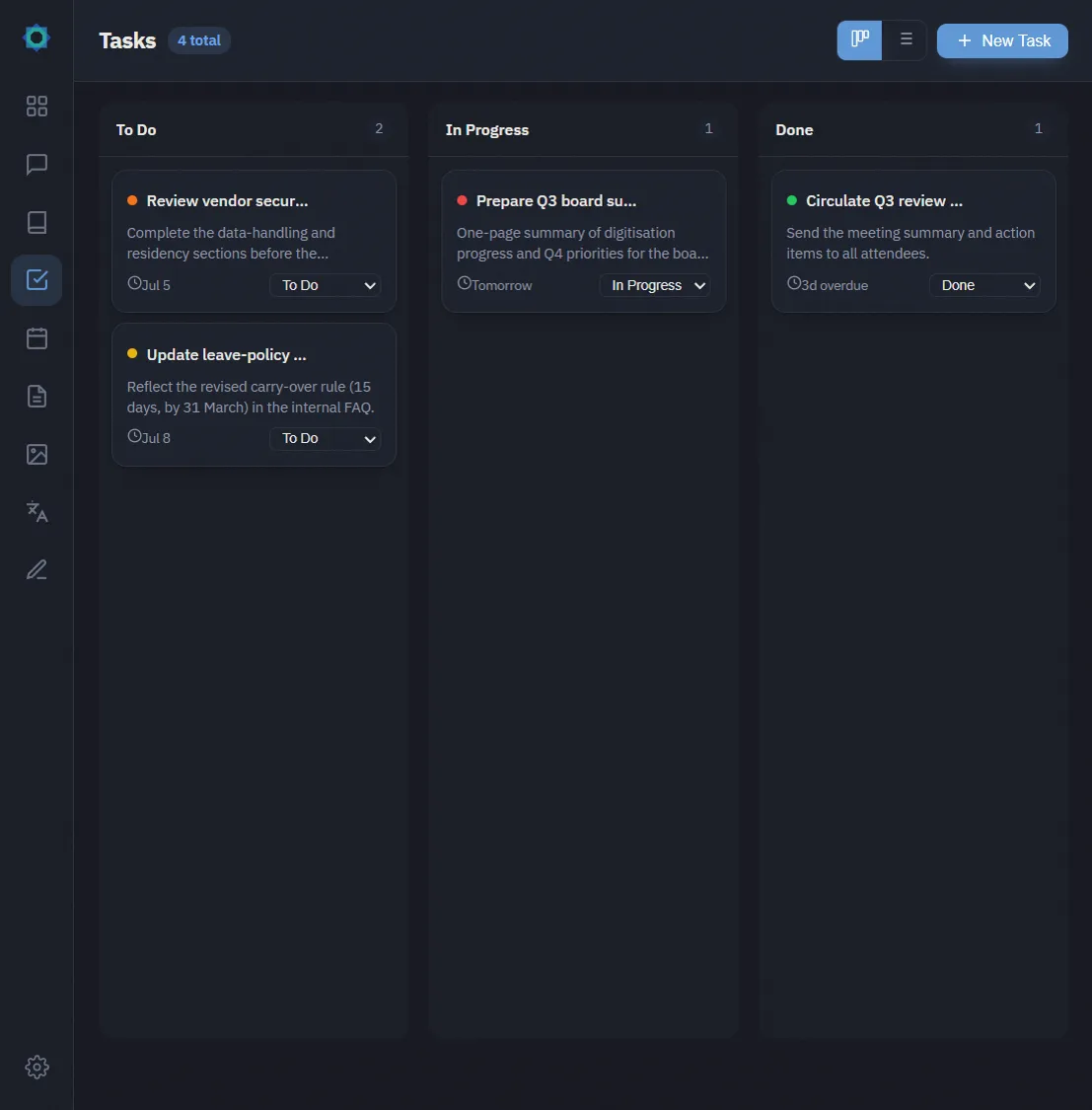
Keep notes with tags and AI summaries, and track tasks with priorities and deadlines.
Capture an agenda and get a tidy summary with action items when the meeting ends.
Pull text out of a scanned page or a photo — including ruled tables, row by row — so it can be searched, copied, or summarized. Arabic and English on the same page.
Speak instead of type — transcription runs locally on the same machine.
See it in action
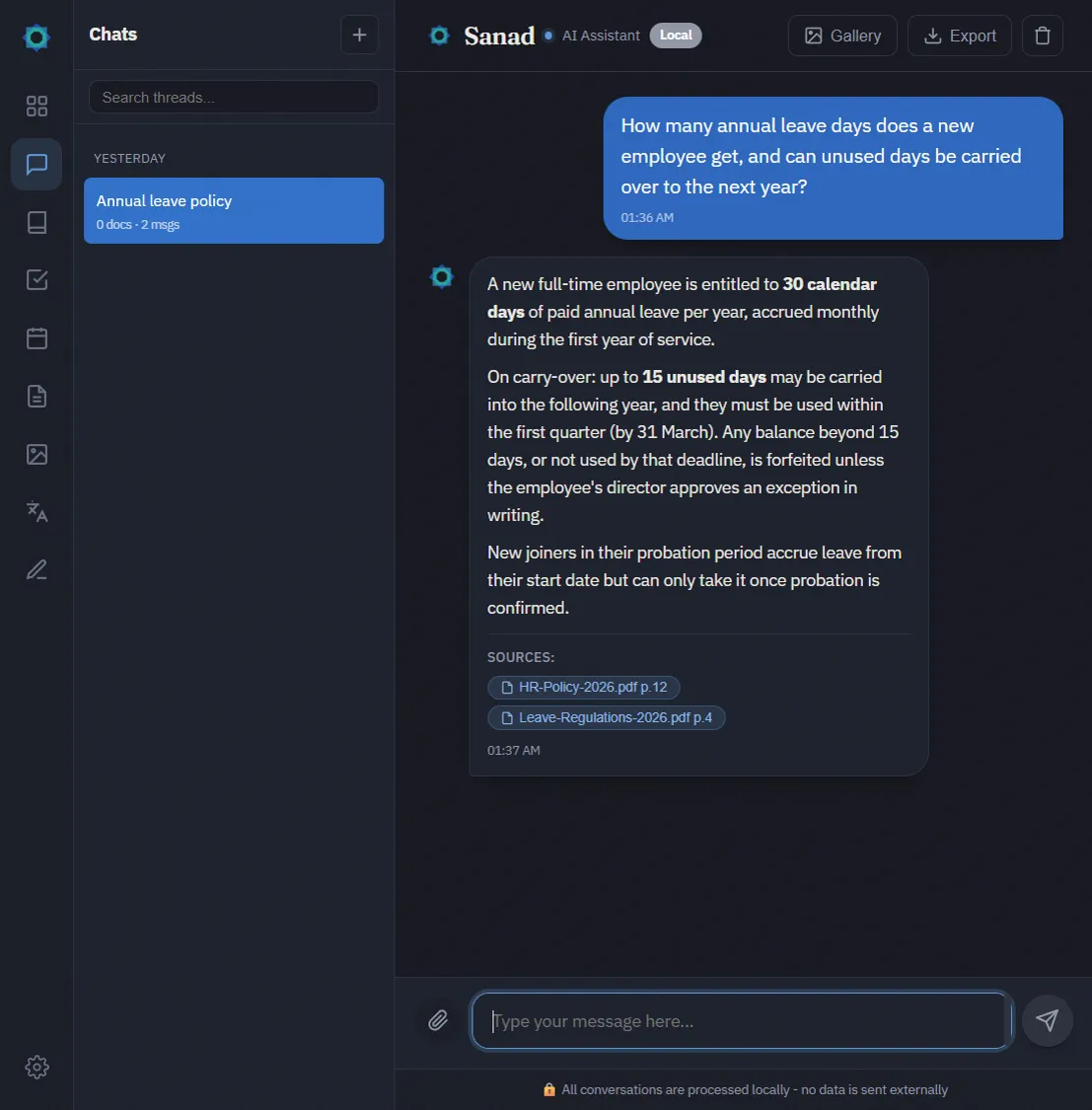
Answers cite the source document and are processed on controlled hardware.
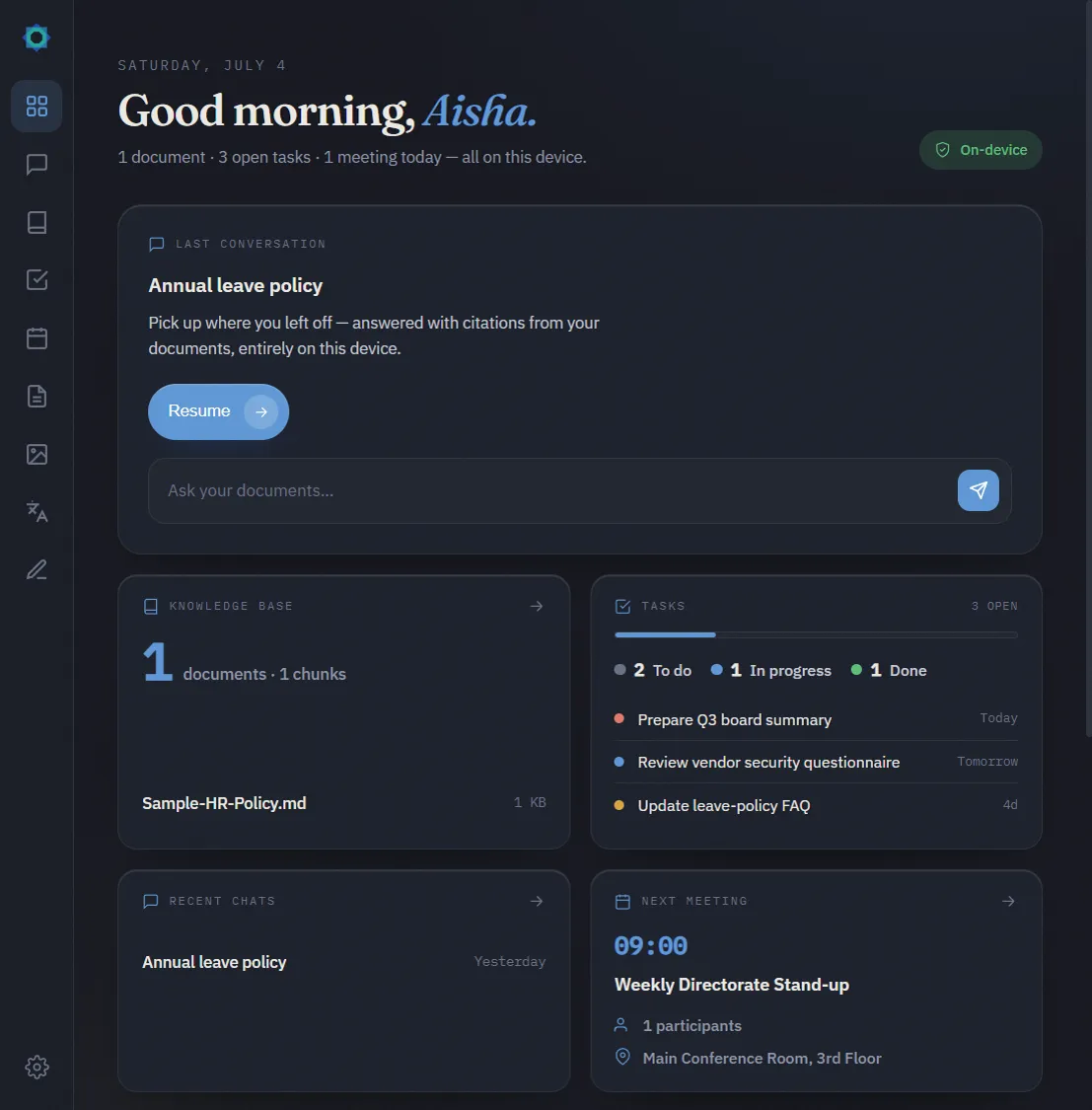
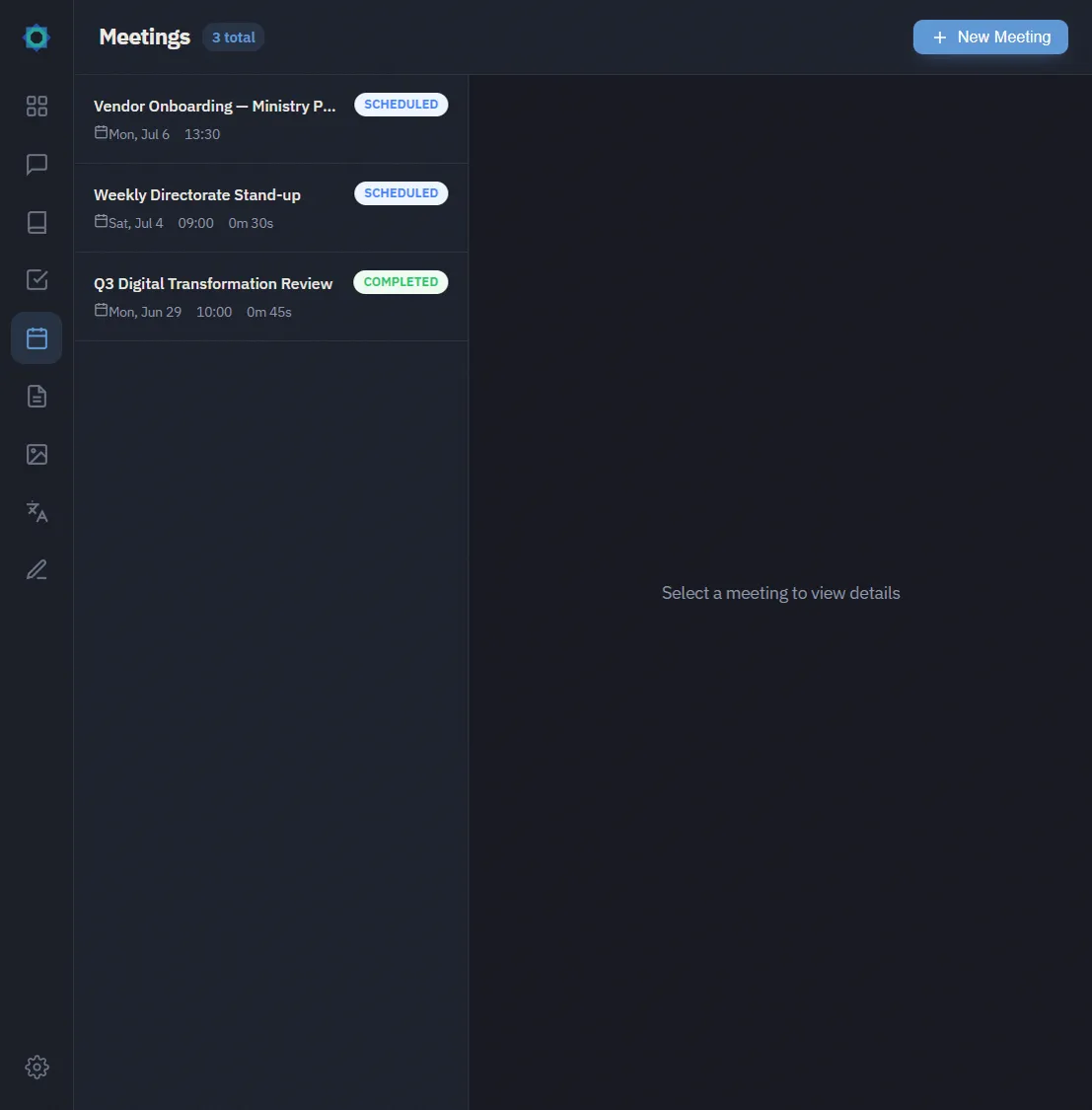
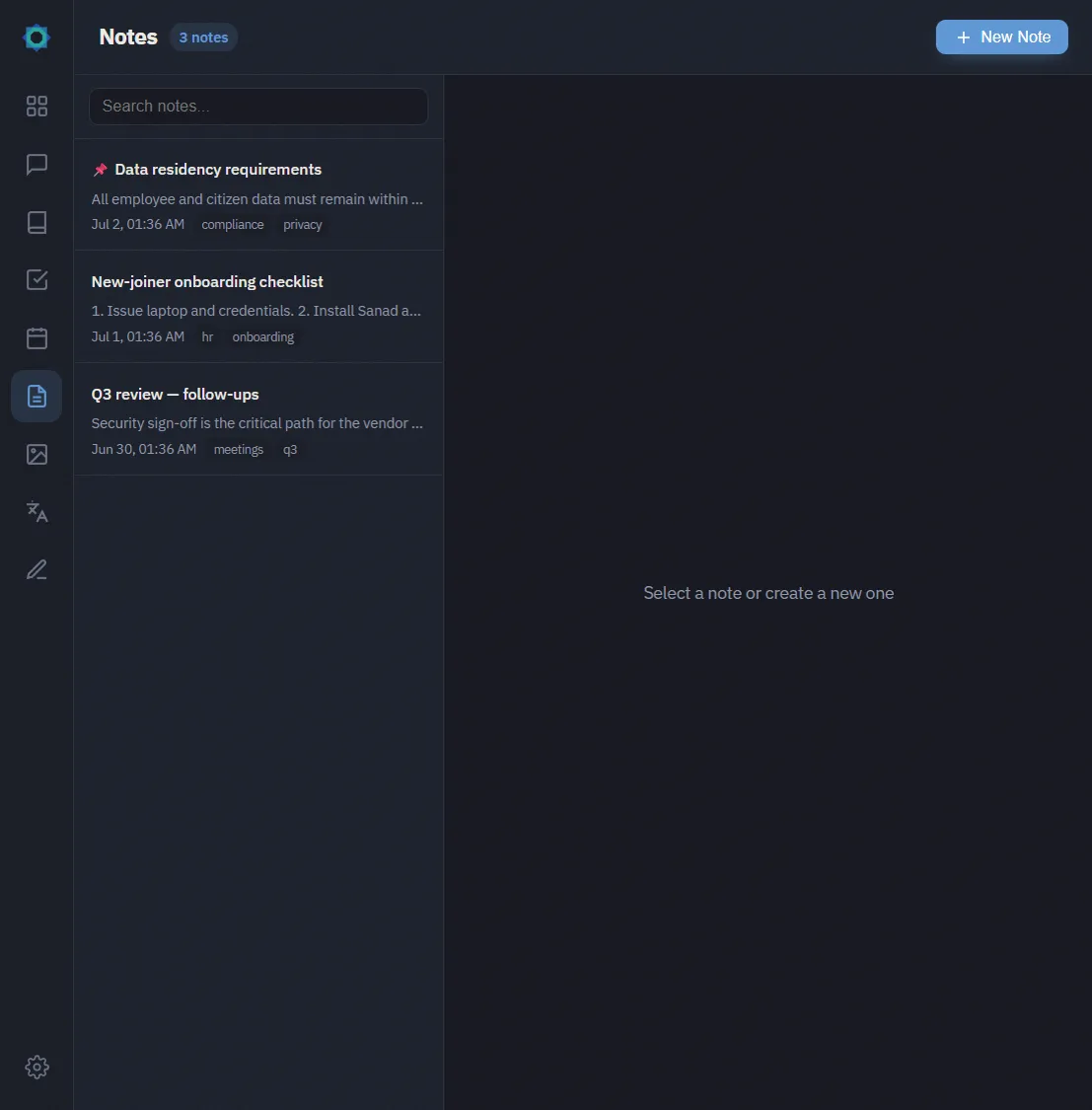
How you run it
Central seat management, a shared knowledge base, and an admin console for your IT team. Desktop clients check out a seat over your network, pull their AI model from your server, and keep working offline on the LAN.
Each device activates directly against the licence — no server to stand up. A good fit for a small team or a single department.
One person, one machine, activated in a couple of clicks. The complete desktop app, running entirely on that computer.
What the organization server adds
Every edition ships the same desktop app and runs the AI on the desktop itself. The organization server is what turns it into something IT can administer.
Staff sign in with the account they already have. Sanad authenticates against your directory over LDAPS.
A record of who did what, and when. Queries are stored as a keyed hash, never the text of the question or the answer.
Daily or weekly backups at an hour you choose, copied where you want them and pruned as they age.
Which days and hours the tool is actually used, and by how many people. The figures stay on your server.
See which desktops are connected and which seats are in use, and free a seat when someone leaves.
Desktops pull their AI model from your server instead of the internet — useful on a locked-down network, and faster for everyone after the first download.
Who it's for
If your documents are confidential by law, by contract, or by common sense, Sanad lets your team use AI without making a copy of them on the internet.
Twenty minutes, your office or online. Bring one of your own documents and we'll show Sanad answering questions about it — offline.